Submitting a Job via the Denim Portal
Last updated: June 30, 2026
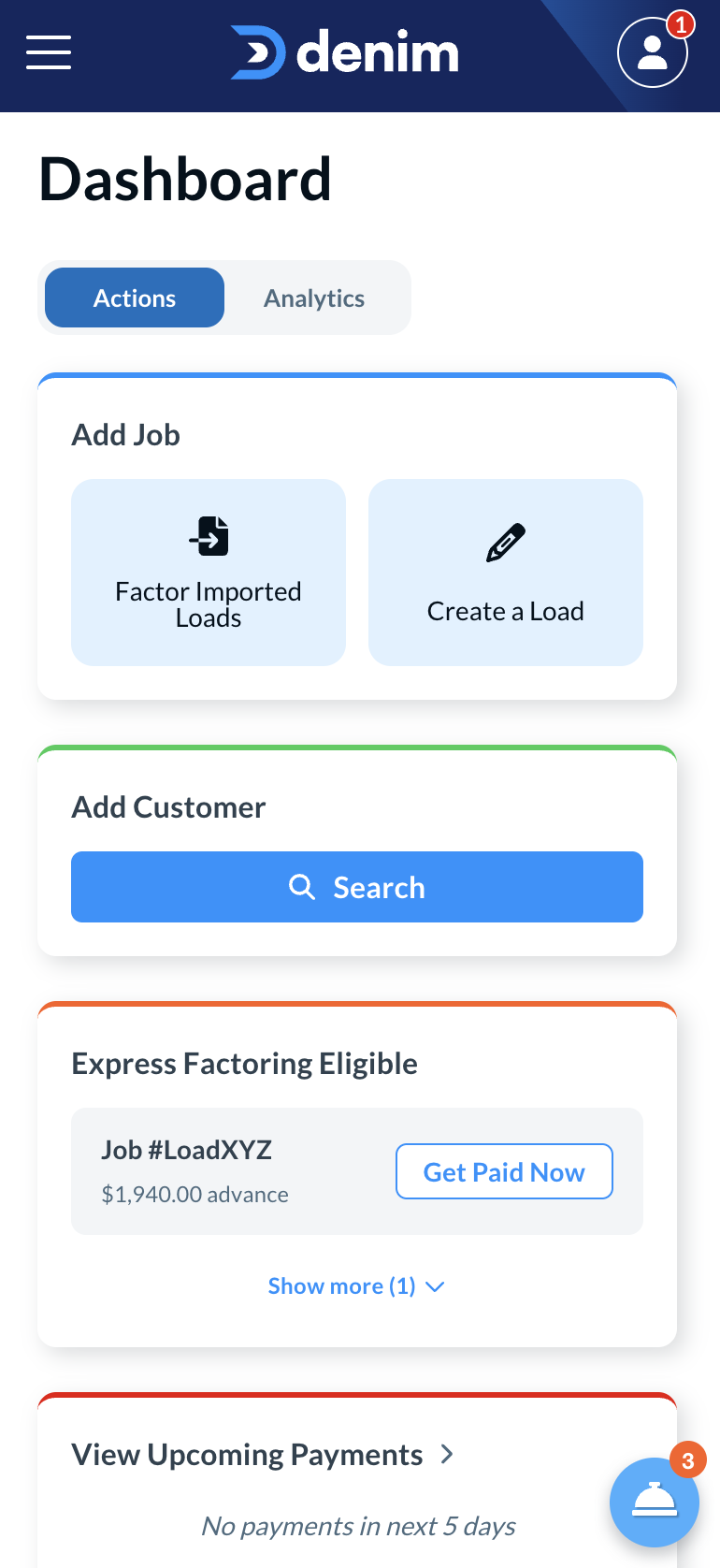
Factoring a load with Denim is incredibly easy. All you need to do is log in, and select the "Create a Load" button:
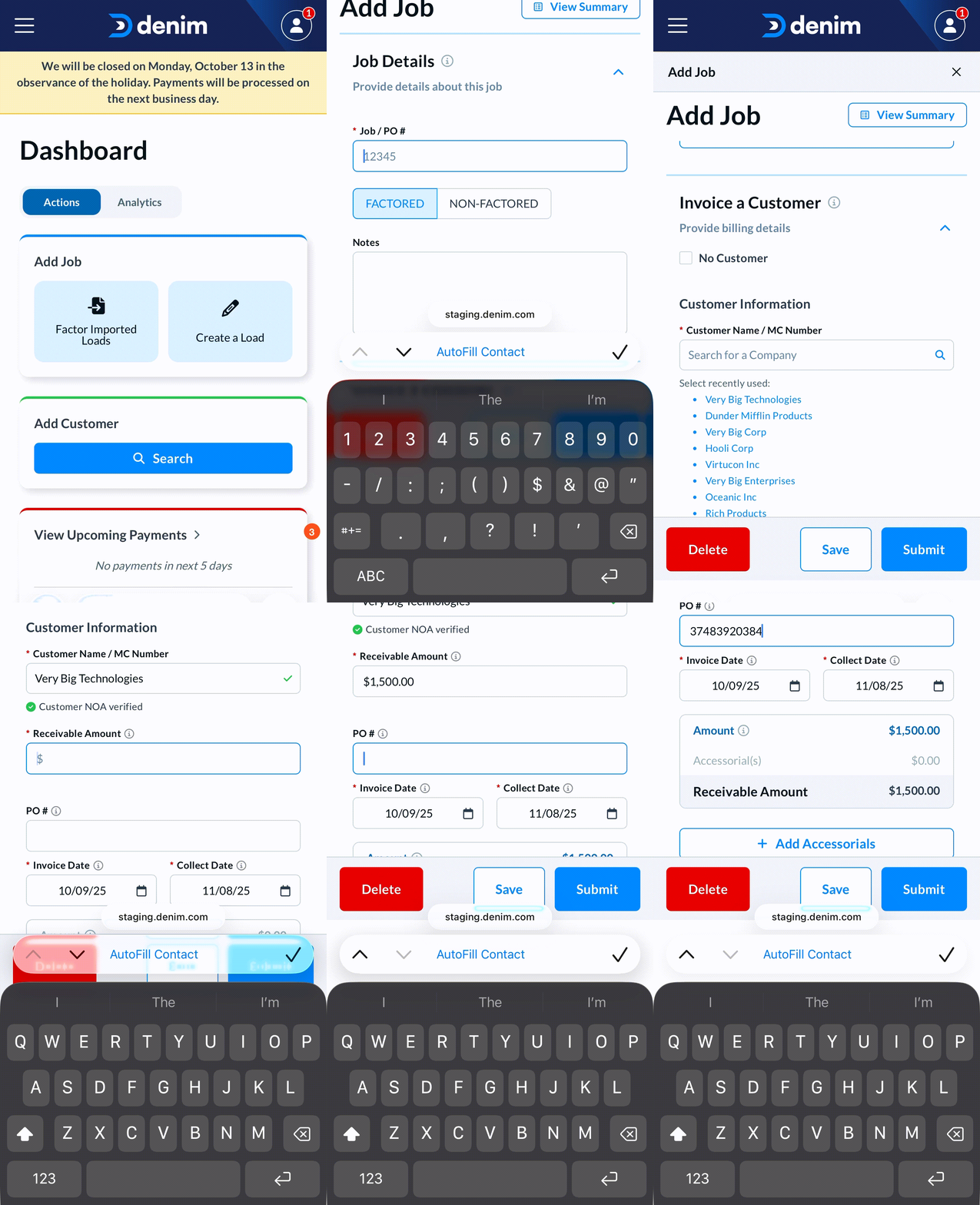
From there, just fill out the:
- Job number
- PO number
- Receivable Amount
- Any Accessorials you want included on the invoice
And upload your:
- Proof of Delivery
- Rate Confirmation
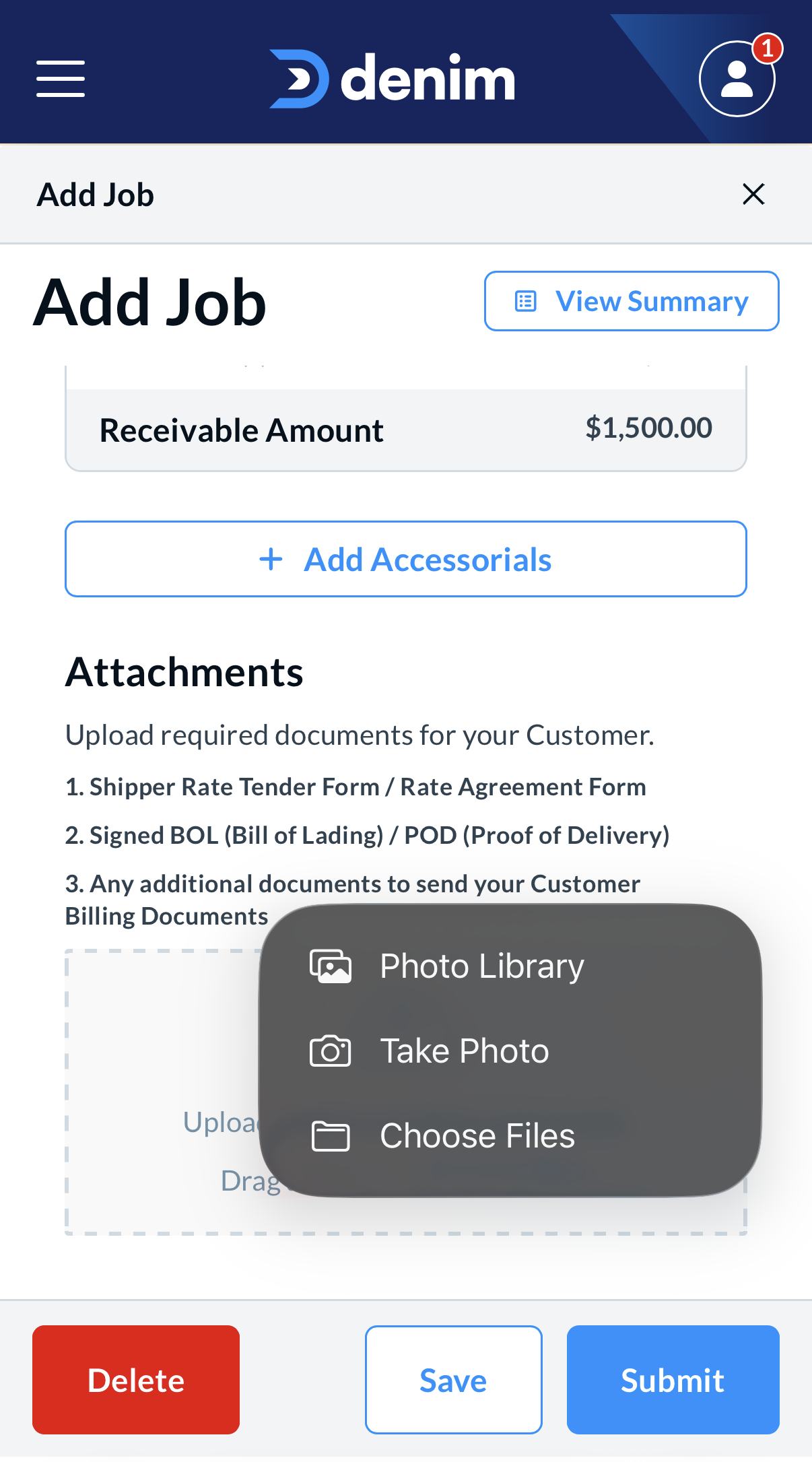
Once this information is filled out, and documents are uploaded, simply select the "Submit" button, which will submit the job for funding. If you've opted in for Express Factoring, payment will be sent within 5 minutes of the job being approved. To learn more about Express Factoring, check out "Express Factoring: Instant Payments" help article.