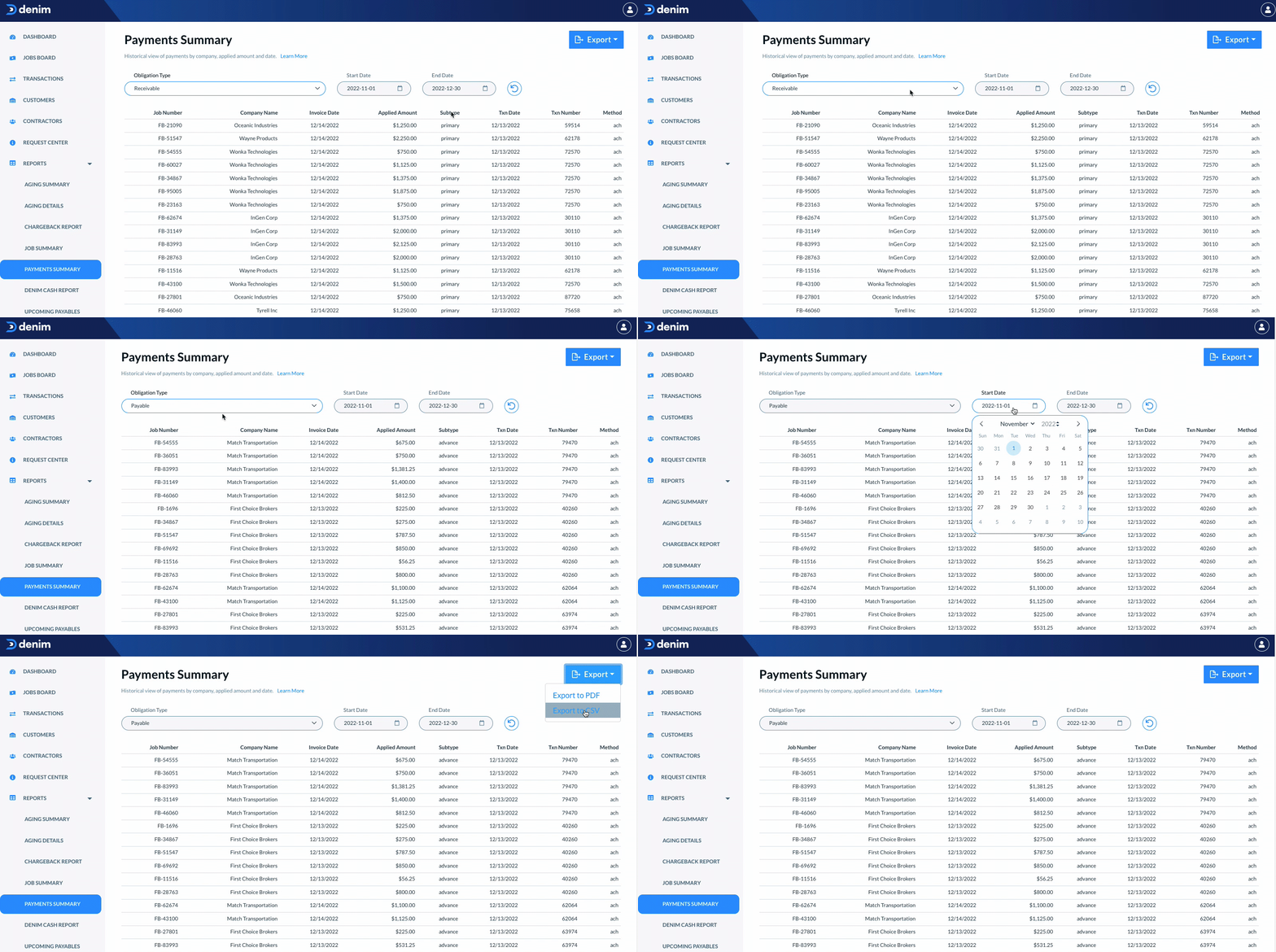
Payments Summary Report
Last updated: July 1, 2026
In this article, you will learn
____________________________________________________________________________
Using the payments summary reports
The Payment Summary report shows a list of all the payments transactions for the jobs. This is a quick reference view of the payments with corresponding details including company name, invoice date, amount, transaction date, transaction number, and the payment method.
Click on Reports in the navigation. In the expanded view, click on Payments Summary.
The Payments Summary page shows you the summary of payments.
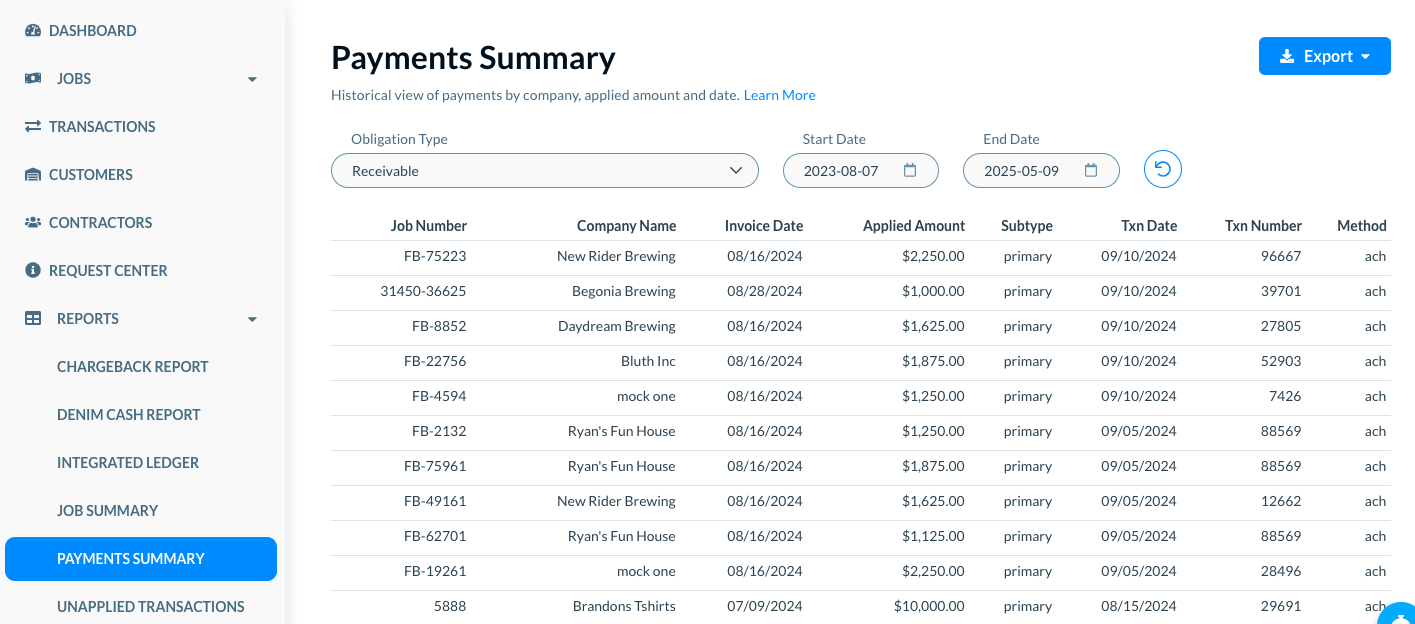
The payments summary view is different for the obligation type—Receivables, or Payables.
For each payment type, select the range of dates for which you want to see the summary. For example, see the Start Date, as below.
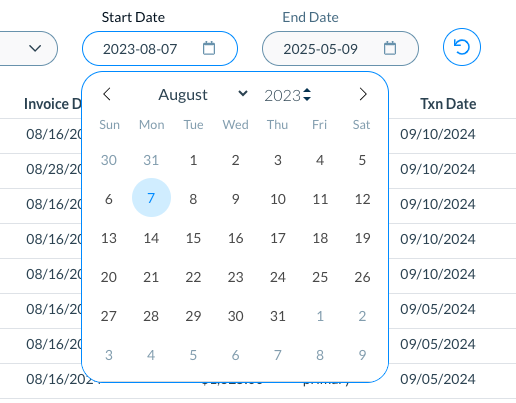
Click on the Reset icon to reset the dates to the default view.
_____________________________________
Payment summary for Receivables
In Obligation Type, select Receivables.
The payments summary shows each record for the receivables. You can see the following details.
- Job Number: The job number for the corresponding receivable payment.
- Company Name: The company name associated with that payment transaction.
- Invoice Date: The invoice date for the payment.
- Applied Amount: The amount that applies to that payment.
- Subtype: The subtype such as whether it is a Primary payment.
- Txn Date: The date of transaction for the payment.
- Txn Number: The unique transaction number for the payment.
- Method: The payment method used for the method such as whether it is ACH
_________________________________
Payment summary for Payables
In Obligation Type, select Payables.
The payments summary shows each record for the payables. You can see the following details.
- Job Number: The job number for the corresponding payment.
- Company Name: The company name associated with that payment transaction.
- Invoice Date: The invoice date for the payment.
- Applied Amount: The amount that applies to that payment.
- Subtype: The subtype such as whether it is a Primary payment.
- Txn Date: The date of transaction for the payment.
- Txn Number: The unique transaction number for the payment.
- Method: The payment method used for the method such as whether it is ACH.
____________________________________________________________________________
Export payment summary report to PDF of CSV
Click on the Export button. There are two options to export the payment summary.
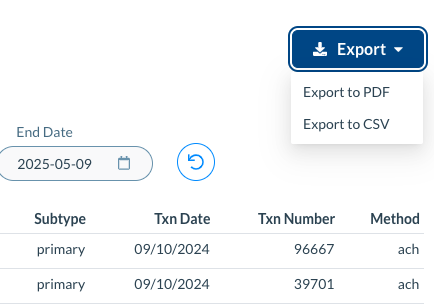
- Export to PDF: Select this option to export the payment summary to a PDF document.
- Export to CSV: Select this option to export the payment summary to a CSV file.