Aging Summary Report
Last updated: July 1, 2026
In this article, you will learn
- See and use the ageing summary reports
- Use search in the report
- Export ageing summary report to PDF or to CSV
_____________________________________________________________________________
Using the ageing summary reports
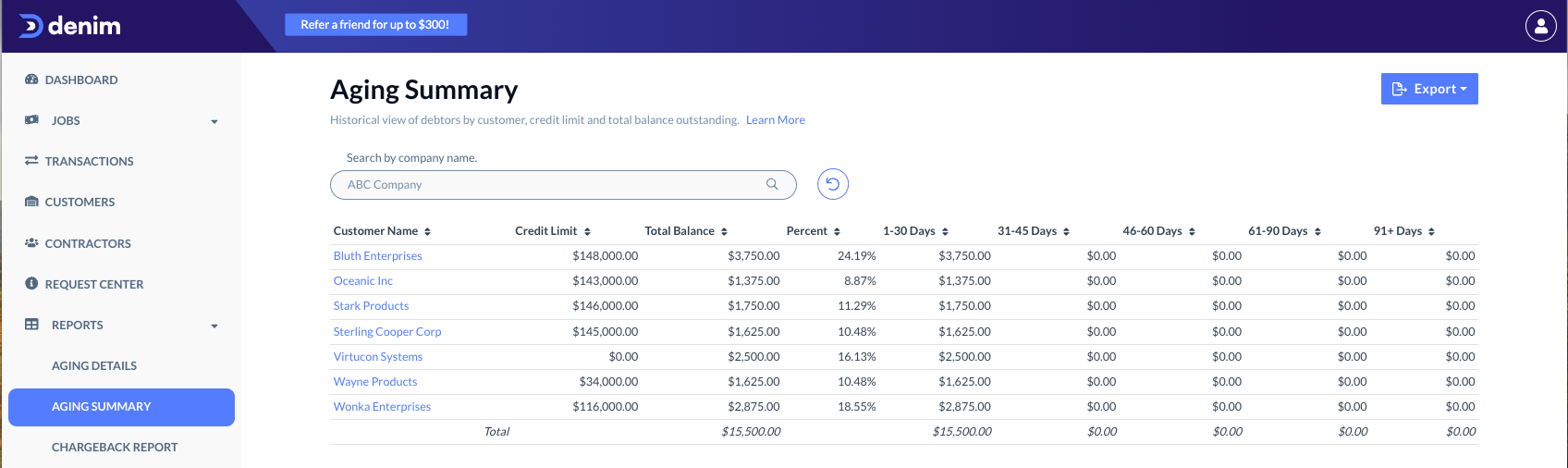
The Ageing Summary report shows a list of shippers and the outstanding amount. The list shows the debtors with their respective credit limit, the outstanding balance, and the percentage.
Click on Reports in the navigation. In the expanded view, click on Ageing Summary.
The Ageing Summary page shows you a list of debtors.
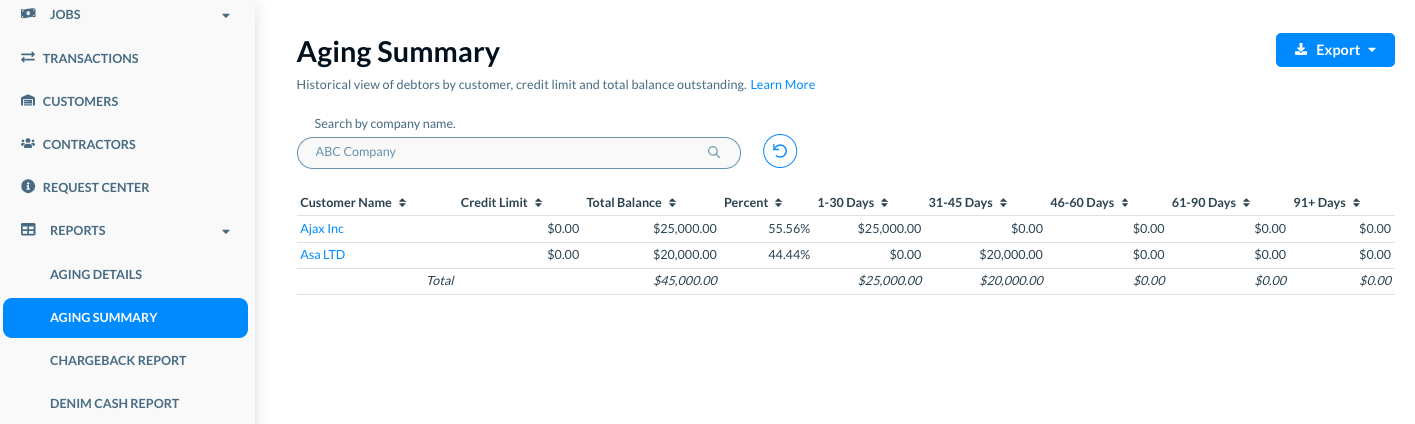
In the list, click on any debtor name. It takes you to the Ageing Details report of that debtor, for example as below.
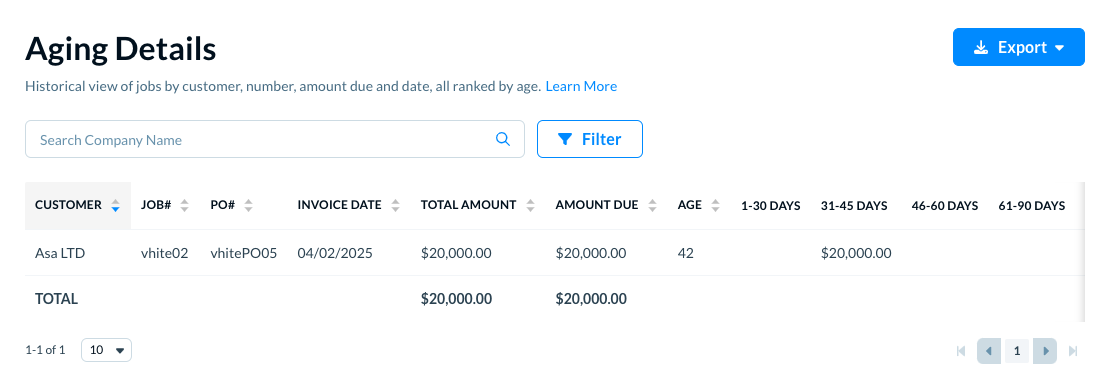
(Please see Ageing Details report for more details.)
In the Ageing Summary report, see the following details for each record in the list.
- Customer Name: The debtor name.
- Credit Limit: The credit limit that is set for the corresponding customer.
- Total Balance: The total balance that is outstanding for this customer.
- Percent: The percent of outstanding amount for this customer.
- 1-30 Days: The amount that is overdue now by 1 to 30 days.
- 31-45 Days: The amount that is overdue now by 31 to 45 days.
- 46-60 Days: The amount that is overdue now by 46 to 60 days.
- 61-90 Days: The amount that is overdue now by 61 to 90 days.
- 91+ Days: The amount that is overdue now by more than 91 days.
- Latest Note: The most recent internal note on the job.
______________
Using Search
Search the ageing summary for a specific debtor. In Search by company name, write the company name that you want to search. Denim shows the matching company name, as below.

Click on the name and the list updates to show the matching company record only.
Click on the Reset icon to see the complete list of all records.
_____________________________________________________________________________
Export ageing summary report to PDF of CSV
Click on the Export button. There are two options to export the ageing summary report.
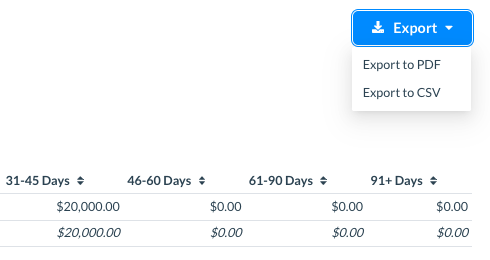
- Export to PDF: Select this option to export the ageing summary to a PDF document.
- Export to CSV: Select this option to export the ageing summary to a CSV file.