Express Factoring
Last updated: July 22, 2026
In this article, you will learn
____________________________________________________________________________
What is Express Factoring
Denim has a concept of Express Factoring which offers accelerated job review and instant payment upon approval, for an additional fee. If you have the right use case or if you have questions, please contact your Client Relationship Manager at support@denim.com to learn more.
If you use Express Factoring, most of your jobs are approved and the funds are transferred within five minutes of job submission. At the latest, the job review is guaranteed by 10AM ET next business day.
Each Express Factoring advance is subject to an Express Factoring fee. The funds availability may be impacted by the receiving bank though most of the banks that Denim has partnered with provide this option of Express Factoring.
The job approval process remains same—Denim reviews all the jobs by following the same criteria and which means that Express Factoring does not guarantee job approval.
____________________________________________________________________________
Enable Express Factoring—Client Advance Settings
To default your own advances to Express Factoring, contact your Account Manager at support@denim.com and receive a volume discount on all Express Factoring jobs you submit.
____________________________________________________________________________
Enable Express Factoring—in Contractor Payment Terms
You can enable Express Factor for a contractor in their payment terms settings.
Click on Contractors in the navigation. The list of all the contractors opens.
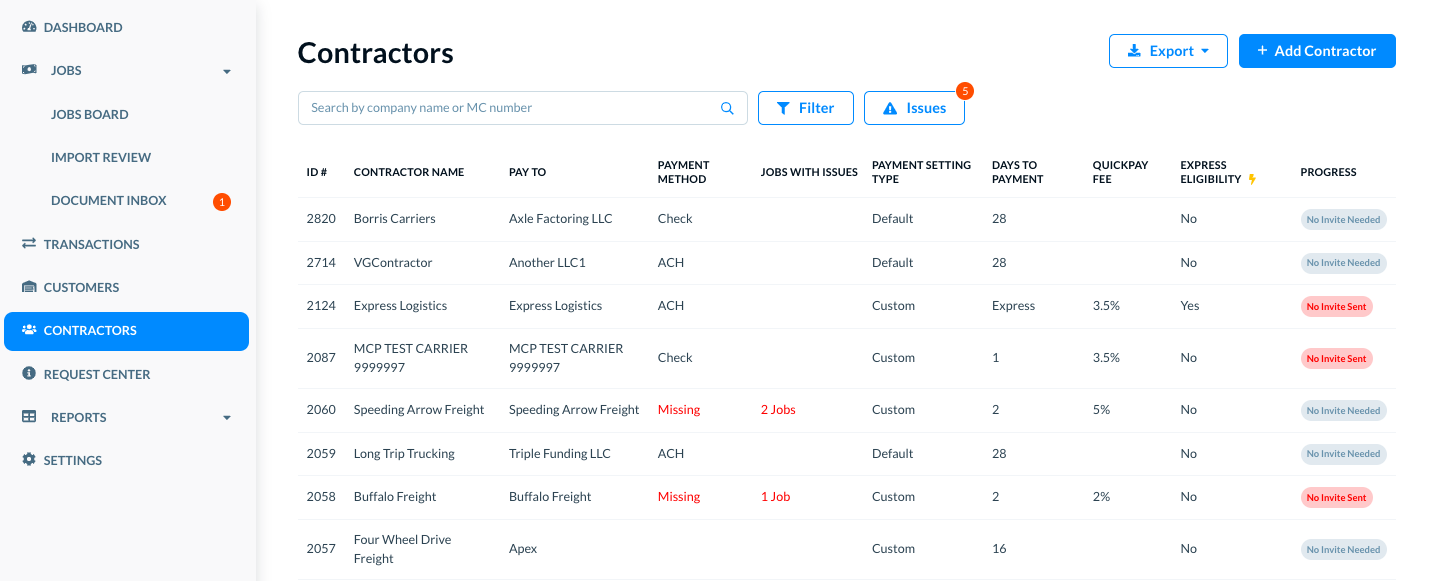
Locate the target contractor in the list. You can use the Filters or Search options to find specific contractors for certain conditions or criteria. (Please see See and use list of contractors for more details.)
Click on the contractor name. The contract details open in a modal.
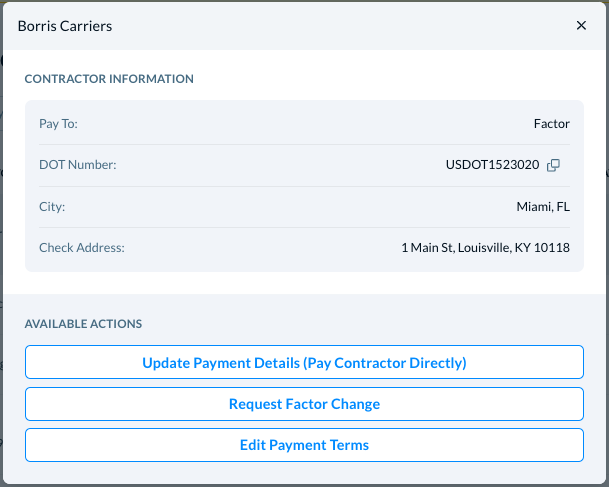
Click on the Edit Payment Terms button. The Edit Payment Terms modal opens where you can see and change the payment terms, including the Express Factoring settings.
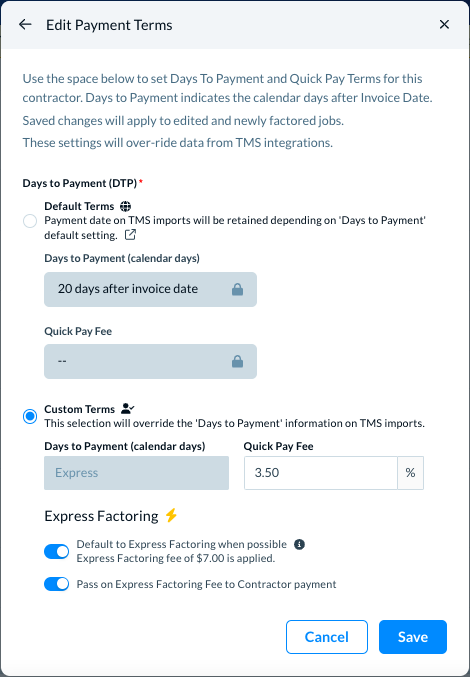
In Express Factoring, use the control to move right or left to disable or enable the settings. Click on the info icon to see more details, if required.
💡Note: Some bank accounts may not be compatible with Express Factoring but most bank accounts that Denim has paid are compatible. If a contractor's bank account is not compatible, Express Factoring options are not available for that contractor.
____________________________________________________________________________
Enable Express Factoring—While adding a new job
When you add a new job, you can enable Express Factoring for a contractor, for your advances and for the contractor payments. When you enable it, there is an option to pass the Express Factoring fee to the contractor.
💡Note: Express Factoring works when the contractor's bank supports it. Denim has partnered with banks who support Express Facility but you might notice a case where their bank does not support it.
_________________________
The Contractors section
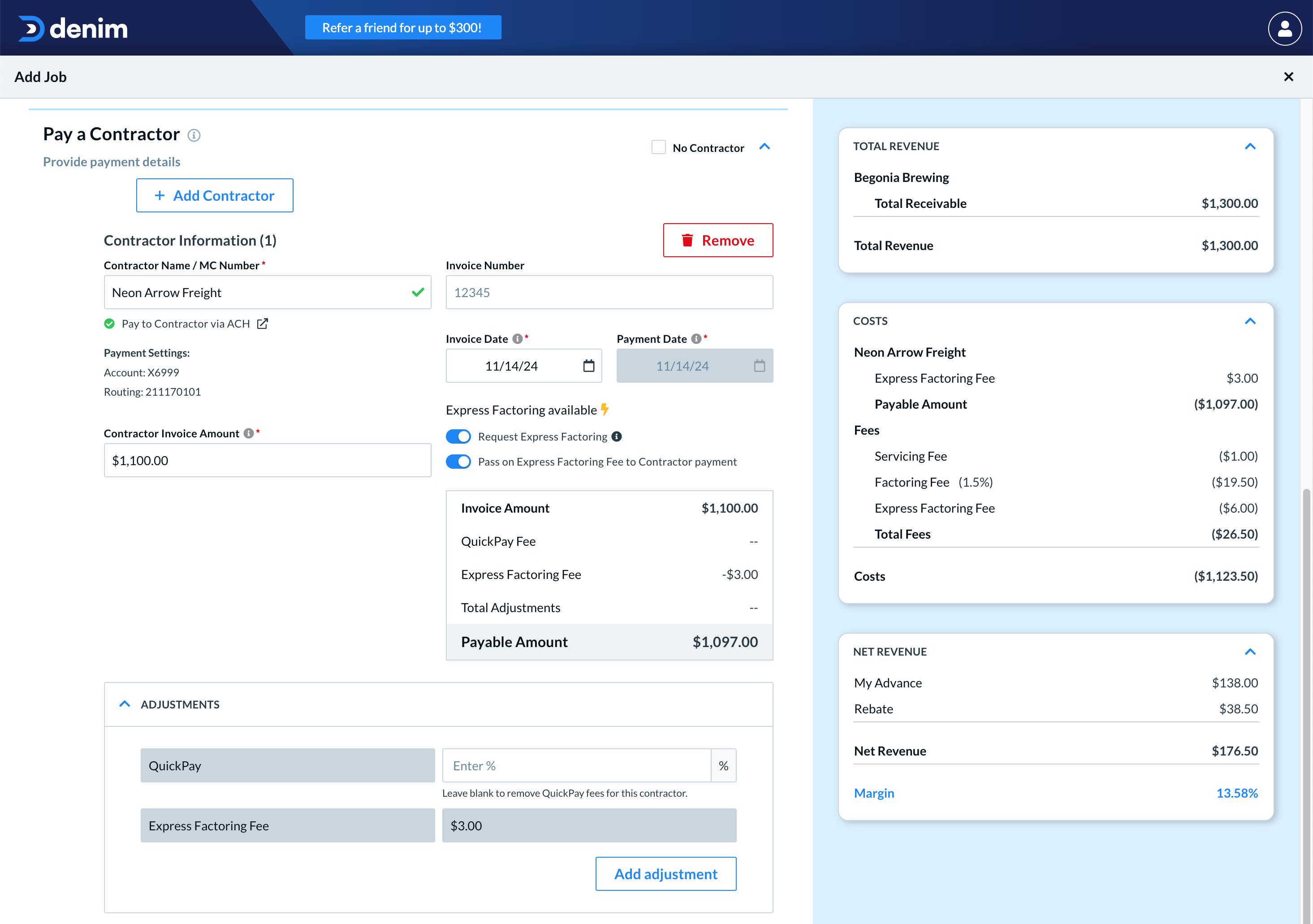
In the Add Job form, see the Pay a Contractor section.
If the selected contractor's payment terms are configured to default Express Factoring, the Request Express Factoring toggle is On by default.
In either case, you can use this toggle to enable or disable Express Factoring in each job.
_________________________
My Advances section
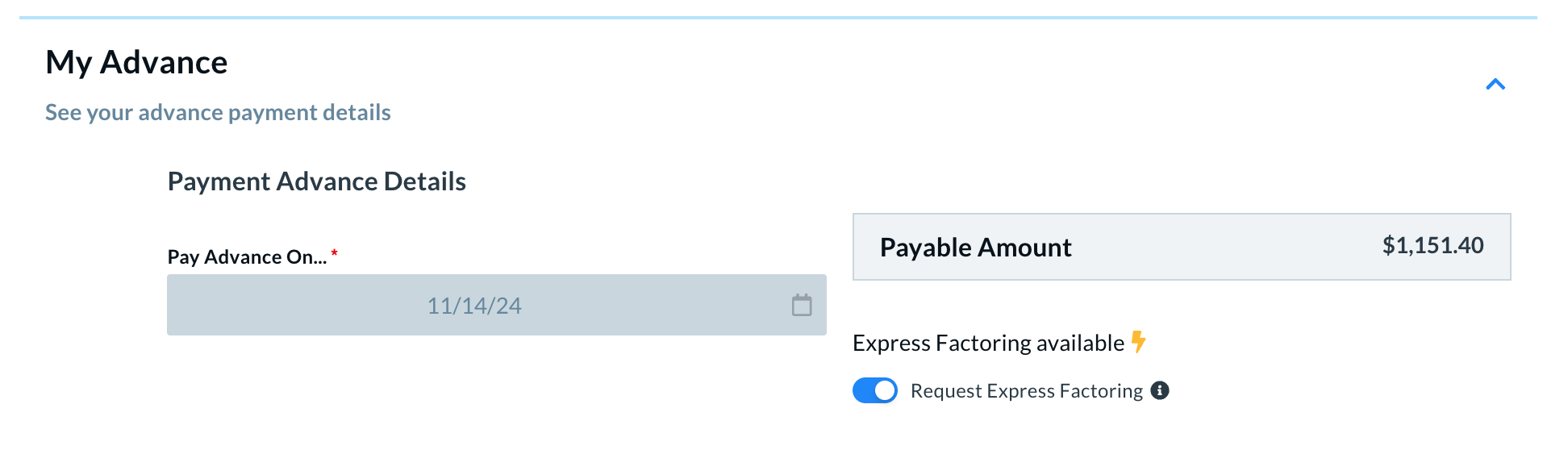
Under My Advance, the Express Factoring setting can be toggled on or off for your own advance. If your account is configured to the default settings for your advances to Express Factoring, this toggle is On by default.
In either case, you can use this toggle to enable or disable Express Factoring in each job.