Preferences: Set default job type as non-factored
Last updated: June 30, 2026
Before you add a new job, you can define some global settings so that these are set by default when you add a new job. For example if you define the default settings for the new job type as Non-Factored, the job creation form shows all new jobs for these settings.
You can change these settings while adding that new job. (Please see Add a new job for more details.)
____________________________________________________________________________
Options to go to job preferences settings
_____________________
Left side navigation
Click on Settings in the navigation.
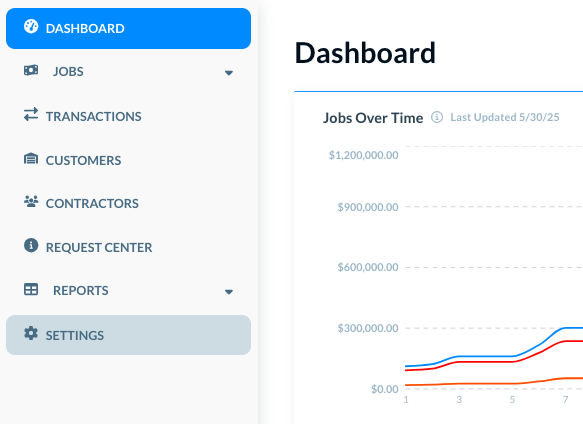
The Settings shows its own navigation in the left side.
________________________________
In user profile menu at the top
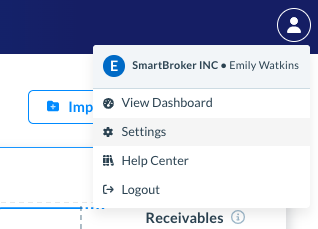
Click on the user profile image at the top. A menu opens.
Click on Settings.
____________________________________________________________________________
Job type settings: Set as non-factored
In Company Settings, click on Platform Preferences.
The Platform Preferences page opens.
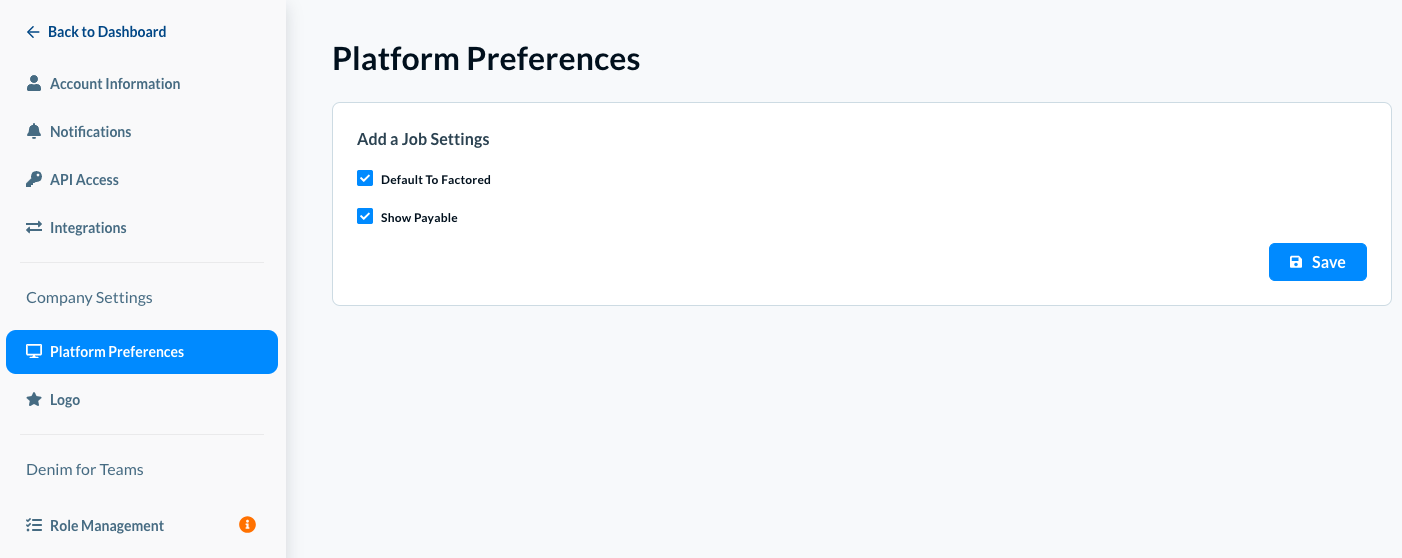
The Default to Factored box is already selected.
Clear this checkbox. It means that all new jobs will be of Non-Factored type by default.
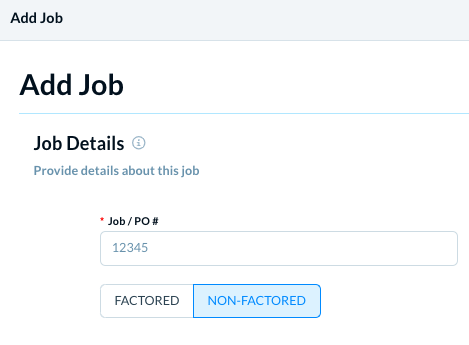
You can change this option to Factored while adding a new job, if required.
Click on the Save button to save these changes.