Contractor account: Set up notifications
Last updated: June 30, 2026
You can set the payments notifications settings in their account, to set which notifications they want to receive via email or SMS, or both.
By default, Denim sends you twice emails for each invoice:
- When Denim approves a job or invoice submitted by your payer. In this email, we include your expected or scheduled payment date.
- When Denim has processed the payment. This email includes a note on when you can expect to see the payment in your bank account.
______________________________________________________________________________
Options to go to the notifications settings
____________________
Left side navigation
The Dashboard is shown by default. Click on Account Settings in the navigation.
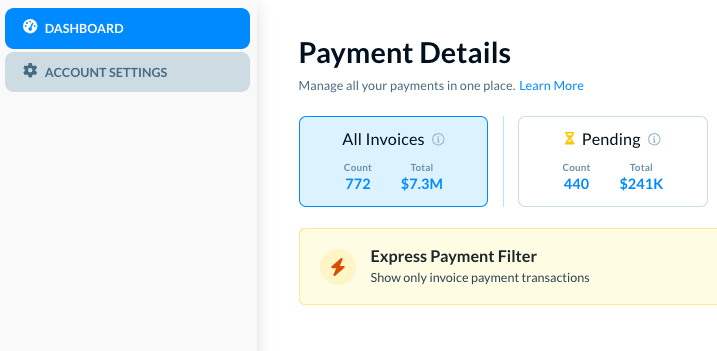
The Account Settings show two options in the navigation.
________________________________
In user profile menu at the top
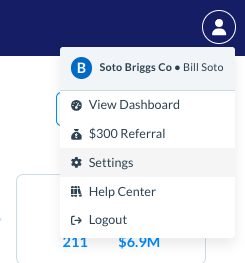
Click on the user profile image at the top. A menu opens.
Click on Settings.
______________________________________________________________________________
Set notifications
In either case, the Account Information is selected by default.
Click on Notifications, as below.
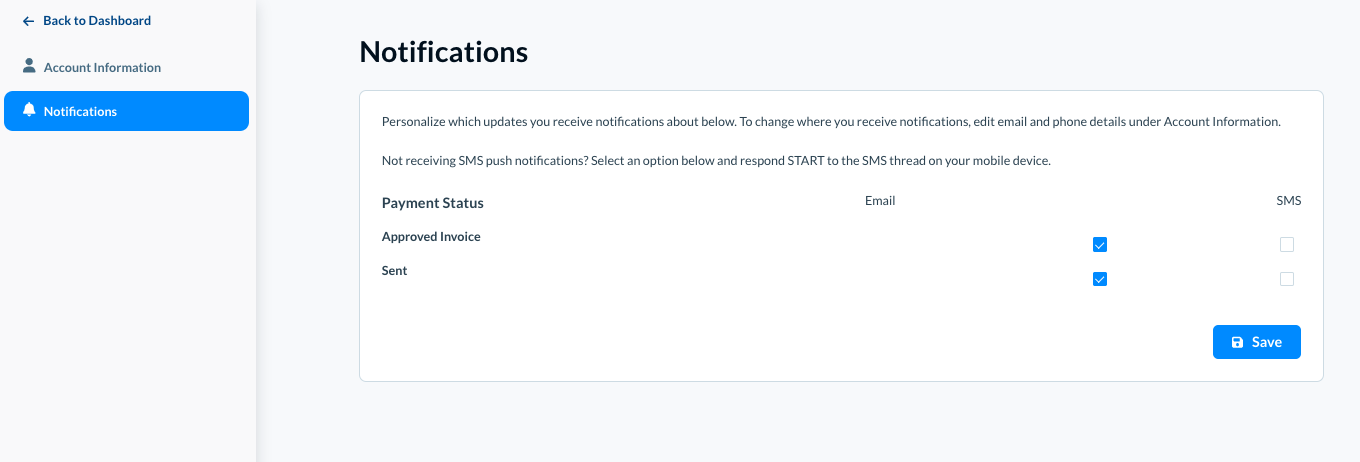
The Notifications page opens.
In Payment Status, you can set up notifications for two different scenarios.
Approved Invoice
- Email: Select the checkbox to receive an email when an invoice is approved.
- SMS: Select the checkbox to receive an SMS on the registered phone number when an invoice is approved.
Sent
- Email: Select the checkbox to receive an email when a payment is sent.
- SMS: Select the checkbox to receive an SMS on the registered phone number when a payment is sent.
Click on the Save button to save the notifications settings.