Edit Payables on Approved Jobs
Last updated: July 1, 2026
You can edit the contractor payable(s) on a job if a job has been approved but if the contractor payable(s) have not yet been paid. It gives you the flexibility to add the right payables if some adjustments are required even after you submit the job for funding.
For related information, see the following articles.
- Add a new job (See Add a new job for details)
- Edit job details (See Manage job details for details)
Click on Jobs in the navigation. Click on Job Board and a list of jobs appears.
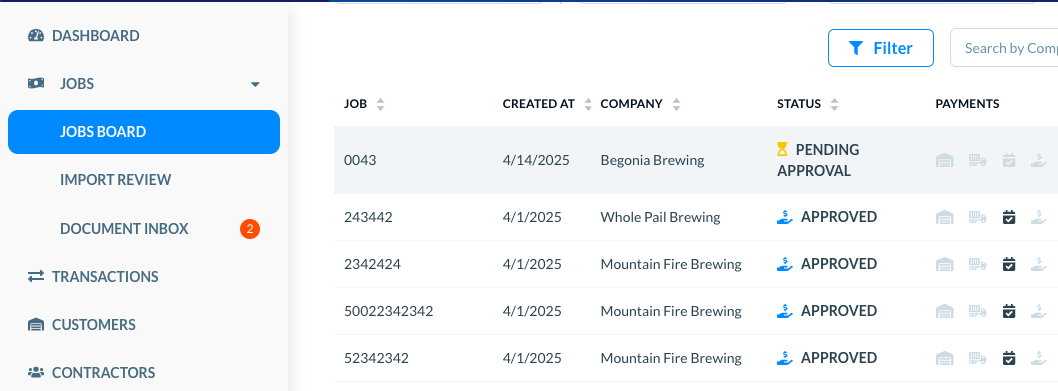
Locate the target job in the list. Use the Search field or the Filters to find a specific job. (Please see See and use list of jobs for more details on using filters and search.)
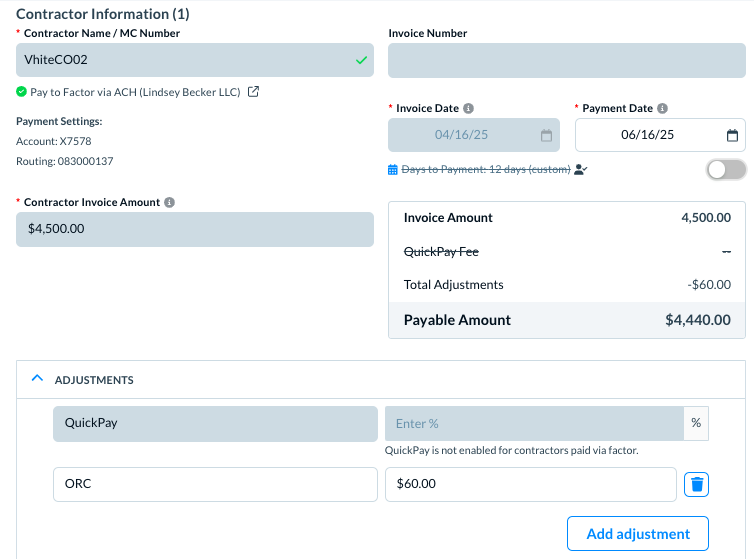
The edits that are available in this use case are:
- Payment Date
- Days to Payment—whether to keep it custom defined if defined for this contractor
- Adjustments, including QuickPay fees
- Express Factoring, if applicable to the contractor
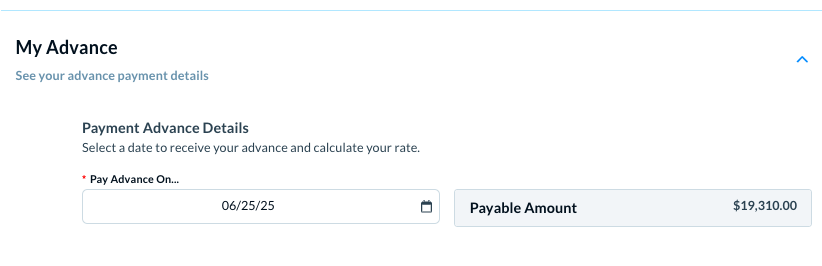
- The Pay advances on date, in My advances